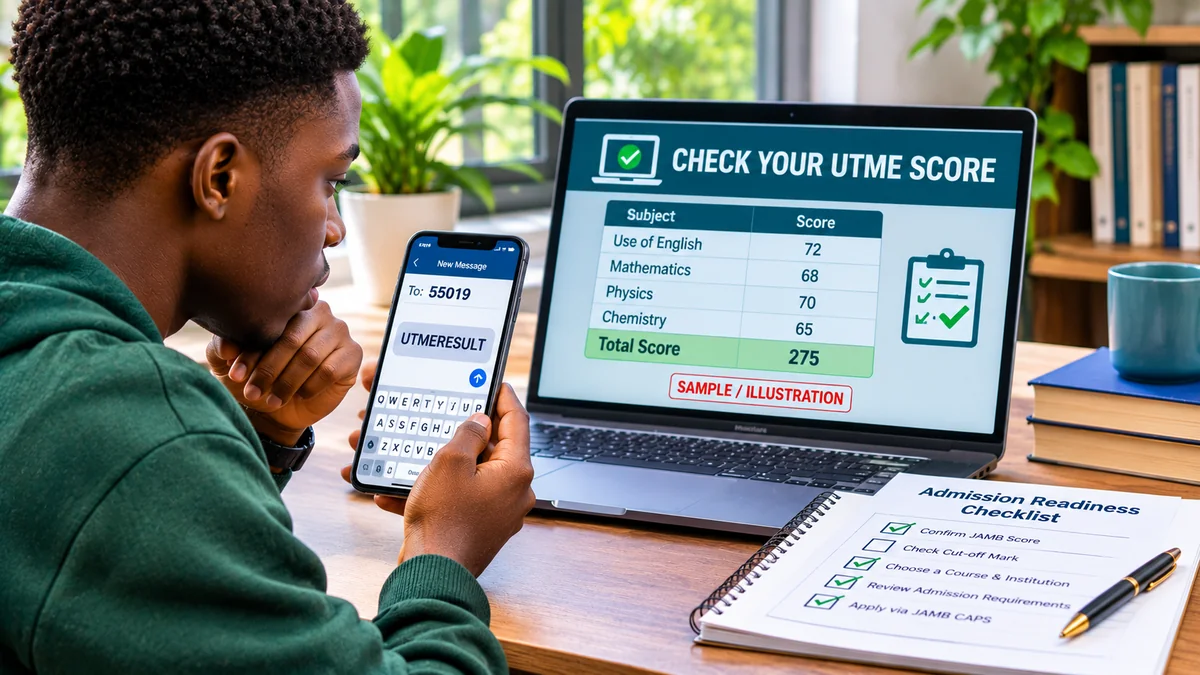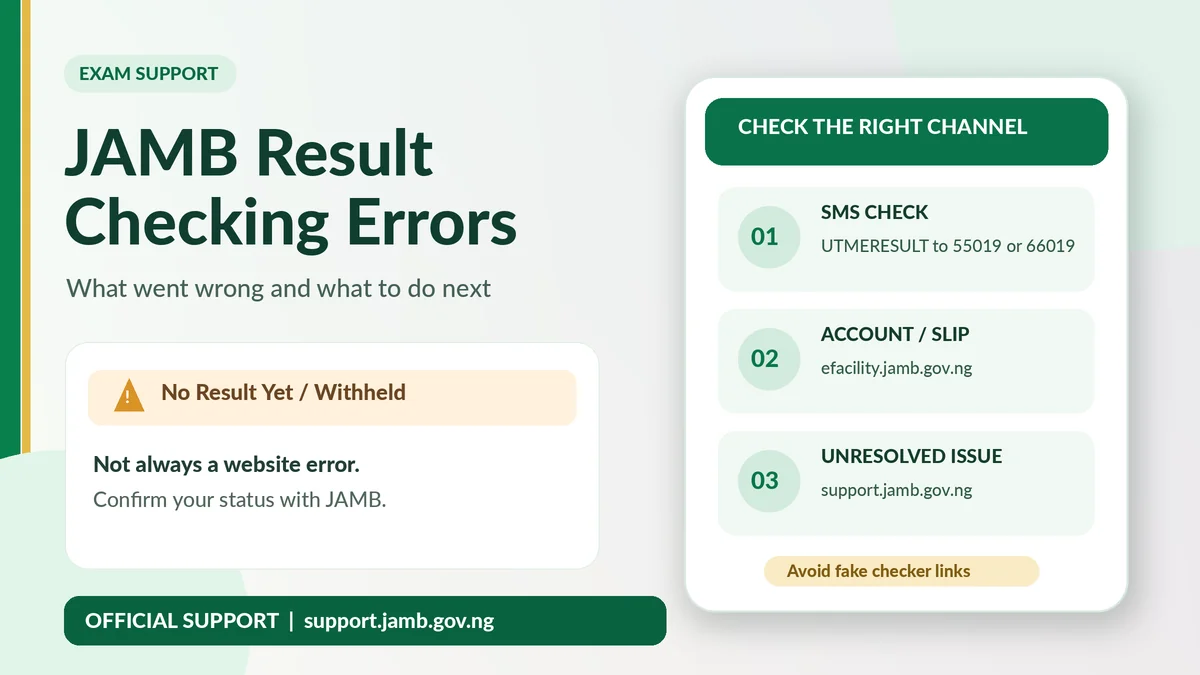
When a JAMB UTME result will not appear, first identify the exact message: no SMS reply, “No Result Yet”, withheld, an e-Facility login error or a failed original-slip payment. These problems do not have the same solution. For an ordinary score check, JAMB directs candidates to send UTMERESULT to 55019 or 66019 from the telephone number used for registration, with at least ₦50 regular airtime. If the result has not been cleared for release, repeating that message or paying an unofficial agent cannot change its status.
A search for result checker JAMB often produces general instructions without explaining what to do when the instructions fail. This troubleshooting guide separates simple phone and portal problems from actual examination-record restrictions. It also covers the formal lost-SIM recovery process, original result-slip printing, payments, fraud warnings and JAMB's official support channels.
Reviewed on 12 November 2026 using JAMB's official support FAQ , website and e-Facility , with dated reporting on 2026 examination decisions. The wording of errors, portal services and requirements can change with the examination year.
JAMB result-checking errors: the quick diagnosis table
| What you see | What it may mean | Best next action |
|---|---|---|
| No SMS reply | Wrong SIM, incomplete SMS delivery, inadequate regular airtime or a temporary messaging problem | Check sender line, UTMERESULT spelling, ₦50 airtime and network status |
| Incorrect keyword or invalid request | The SMS command was entered incorrectly | Send only UTMERESULT to one official number after checking the format |
| “No Result Yet” | A result is not available to that candidate; in April 2026 this specifically affected underage candidates | Check dated official notices for your candidate category and examination cycle |
| Withheld / under investigation | JAMB has placed the result under official review | Monitor JAMB announcements and open a support ticket if appropriate |
| Cancelled / invalidated | An official adverse decision may have been made | Seek clarification through JAMB; do not assume another SMS will reverse it |
| e-Facility login fails | Profile credentials, recovery or service access issue | Use the actual JAMB login/recovery channel and support, not a third-party site |
| Print Result Slip unavailable | The separate printing service may be inactive for the selected exam year or profile | Confirm official activation and select the correct examination year |
| Payment deducted, slip not printed | Payment confirmation may be delayed or the transaction failed to reconcile | Check transaction/RRR status and raise a finance ticket before paying again |
| Registered SIM lost | The ordinary SMS channel is unavailable to the registered identity | Use an authorised SIM recovery or JAMB's Profiled Email procedure |
These are diagnostic possibilities, not a way to infer guilt or an internal JAMB database status from a single screen. Keep the exact response, date, examination year and transaction reference before troubleshooting.
1. No reply after sending UTMERESULT to 55019 or 66019
JAMB's result-checking instructions specify UTMERESULT as one word and the two approved numbers 55019 and 66019. The SMS must originate from the telephone number linked to the original registration. If no reply arrives, use this sequence instead of sending the command repeatedly.
- Check which SIM sent the message, especially on a dual-SIM phone. It must be the line associated with the candidate's JAMB registration.
- Confirm you sent a normal text message and not a WhatsApp message or a chat to a contact saved as “JAMB”.
- Check the message body:
UTMERESULT, with no spaces, quotation marks or additional words. - Make sure the SIM has at least ₦50 regular airtime; bonus airtime or data allowance may not satisfy the service requirement.
- Check basic signal coverage and whether ordinary outgoing SMS works on the line.
- Allow for a messaging delay and check the inbox before making one careful retry.
If the issue persists, JAMB's other official short code may be an alternative, but avoid firing multiple attempts to both numbers. JAMB has previously cautioned candidates that incorrect or repeated messages can lead to unnecessary charges.
2. Wrong SMS format, wrong short code or a different phone number
Several commands exist for different JAMB functions. RESEND retrieves a profile code; PASSWORD emailaddress is documented for applicable password recovery; UTMERESULT checks a released UTME result. They are not interchangeable. A copied instruction from another year or another process may therefore produce the wrong response.
For the ordinary result-checking service, send:
Message: UTMERESULT
Recipient: 55019 or 66019
Sender: your registered JAMB SIM.
A relative's SIM cannot automatically impersonate the number linked to your JAMB record. Even if it has airtime and receives normal texts, that does not make it the right identity for your result query. JAMB's general FAQ explains the importance of the original registration number for profile communications and recovery.
3. “No Result Yet” is not necessarily an internet or SMS failure
One of the most misunderstood 2026 messages was “No Result Yet”. In a statement reported on 21 April 2026, JAMB said the message applied to underage candidates whose scores had not been released under the then-current eligibility arrangements. It was not simply a broken result checker. FlyingEze covered JAMB's explanation of withheld and unavailable 2026 results .
Crucially, that was not the end of the 2026 story. On 5 September 2026, JAMB announced the release of underage candidates' results for viewing, while stressing that the release did not itself qualify them for admission. The special September notice, reported by Premium Times , instructed that group to send RESULT to 55019 or 66019 from their registered line. That examination-cycle-specific instruction should not replace the general UTMERESULT command in JAMB's standing FAQ for ordinary candidates.
Therefore, if you are checking an old screenshot or status, identify the date, age category and specific official instruction. A message that was accurate in April may be outdated by September. Neither a published score nor a high mark by itself guarantees admission, especially where an exceptional eligibility process applies.
4. Result withheld, under investigation or cancelled: know the difference
A withheld result means the board has not released it at that point. A status under investigation suggests further official review. A cancelled result describes a more consequential decision and should not be casually equated with a normal release delay.
The distinction mattered in 2026. On 21 May 2026, JAMB reported releasing 279 previously withheld results after investigation found no prima facie case in those instances; other results remained under investigation or had been cancelled where malpractice findings were established. The News Agency of Nigeria reported JAMB's statement and its instruction to recheck status using the original registered SIM.
If your result is withheld, do not pay an individual who claims to work inside JAMB and promises to “unblock” it. Keep your registration details, the exact status wording and a record of any examination-centre incident. Follow official updates and raise a ticket if you have a specific unresolved complaint. The act of filing a ticket is not a guarantee of release, re-marking or a resit.
5. JAMB e-Facility is blank, slow or says the service is unavailable
A website-loading problem must be separated from a result-release decision. The official e-Facility service page explains that available candidate services vary by profile and service cycle. A slow loading page, session timeout or missing action button is not itself proof that an exam result has been invalidated.
- Start at jamb.gov.ng or type efacility.jamb.gov.ng directly. Avoid search-result advertisements for copied portals.
- Confirm you have stable internet; try a current browser and a normal, newly opened tab rather than an outdated bookmark.
- Sign in only with your own JAMB profile credentials and check that the right examination year and service appear.
- If a payment or request may have been submitted just before a timeout, inspect the transaction history before trying again.
- If a service is missing, confirm whether JAMB has activated it for your examination year.
- Capture the exact error and submit a support request if the problem persists.
Do not disable browser security protections, install unknown extensions or enter your credentials into a lookalike website merely to make an error disappear.
6. Incorrect e-Facility login, forgotten password or unavailable email
If the e-Facility portal rejects your login, first check that the email address belongs to your real JAMB candidate profile. Remove accidental spaces and use the official password-recovery facility where it is available. JAMB's FAQ documents sending PASSWORD, a space and the associated email address to 55019 or 66019 from the registered number for applicable profile recovery.
Do not create multiple profiles just because the first account is difficult to open. A registration identity and its original number should not be casually replaced with somebody else's details. If the email itself was compromised, secure it directly with the email provider and contact JAMB using official channels before disclosing more information.
The e-Facility login also has different purposes from CAPS admission status. Even after you can view a UTME score, you may need the same secure candidate account for later admission services. Protecting account access early avoids additional problems.
7. Lost registered SIM: use the formal Profiled Email procedure
A common source of failed JAMB result checking is a phone number that is no longer available. JAMB publishes an official Profiled Email service for candidates with lost SIMs . Its procedure is more specific than simply giving a new number to an agent:
- Visit a JAMB-accredited CBT centre and request the official template, identified as TEMPL 006.
- Complete the form with the available existing registration, telephone and profile details, plus a new email address not previously used on JAMB's platform.
- Sign the declaration. An authorised CBT officer processes and uploads the template through the designated system.
- Authenticate the new email address using the verification message or code JAMB sends.
- After approval, use the updated profile functions and Messages area for the supported 55019/66019 services.
The actual JAMB template states that the form is not for sale. Avoid anyone offering a secret bypass or charging to sell the template. The status of the Profiled Email service, any authorised centre-processing charges and your eligibility should be checked with JAMB before travelling. If your network can officially replace your lost SIM while preserving the same number, you may also enquire with the operator; that is a separate network process, not a guarantee of JAMB recovery.
8. Original JAMB result slip will not print
Seeing a UTME score by SMS is not the same as obtaining JAMB's original result slip. The official slip contains candidate identification, a photograph and security features used for admission-related verification. Printing is managed through the corresponding service within JAMB e-Facility , rather than through the ordinary score SMS.
During the 2026 cycle, the first SMS results became available in April, but the original-slip printing service opened only on 17 June 2026. Before that date, an absent print option was not necessarily an account fault. The timing was confirmed in The Punch's report of JAMB's announcement .
If the print service does not appear, confirm the examination year and that the service is active for your account. If a file downloads but will not open, check the device's PDF viewer and download location before attempting another paid transaction. Do not modify a downloaded official result slip or submit a screenshot in place of the prescribed document.
9. Payment deducted but original result slip is still unavailable
Payment processing is another separate category of problem. JAMB's official support FAQ notes that gateway or banking interruptions can leave service payments pending. Its guidance is to check whether a debit occurred, allow for reconciliation, and verify any Remita Retrieval Reference (RRR) before making another payment. Unused duplicate payments can be raised through a finance or payment support ticket with evidence.
Keep the transaction reference, amount, date, payment email and any authorised receipt. Do not give a support agent your full card number, PIN or OTP. If you used a bank card or payment provider and suspect fraud rather than an ordinary processing delay, contact that provider directly as well as JAMB.
Because official service-price tables can differ by date and fee component, treat the live JAMB checkout amount as the source of truth. A stranger's request for a transfer to a personal bank account is not a legitimate way to repair a pending e-Facility result-slip transaction.
10. Result details or score appear wrong
If a candidate believes the displayed result is inconsistent with their examination record, save the unaltered official message or slip and note the registration year. Compare the displayed identity details with your genuine registration record, rather than a forwarded screenshot. If there is a specific technical issue or examination-centre incident, describe that fact in an official ticket.
JAMB's FAQ says marking is computer-based and does not offer a routine manual re-marking service, although candidates can lodge queries for investigation. A review request is not a promise that a score will change. Never pay a person claiming to be able to upgrade 180 to 280, replace a result or generate a new “official” PDF. The board warned against manipulated and AI-generated result claims during the 2026 release.
11. “Not Admitted” on CAPS is not a UTME result-checking error
Another frequent confusion is treating a CAPS admissions message as if it meant your UTME score was missing. UTME results record examination performance; JAMB CAPS processes admission recommendations, offers and responses. A student may have a valid, released result and still see “Not Admitted” while their chosen institution is considering applications.
JAMB's official FAQ directs candidates to check whether their O-level results are correctly uploaded and to follow the relevant institutional admission processes. Do not use a fake result-checking website to try to solve a CAPS status issue. Keep the two workflows separate so your complaint reaches the right team.
When and how to contact JAMB support
If the problem persists after checking the SIM, exact message, release notices and portal access, contact JAMB through its official support desk . The board operates a ticketing system for examination enquiries, candidate records and transaction issues. Its knowledge base also advises candidates to book an appointment through the authorised portal before visiting a state or zonal office.
- Open support.jamb.gov.ng directly or follow the support link from JAMB's official homepage.
- Choose the closest complaint type—for example results, account access or payment.
- State your examination year, the exact error wording, when you checked and what legitimate troubleshooting steps you already tried.
- Attach relevant unaltered evidence where the secure form requests it, while avoiding unnecessary disclosure in public messages.
- Keep the case reference and use the ticket tracking function to monitor responses.
Do not assume someone privately messaging you on social media is a JAMB staff member. A credible official ticket should be trackable through JAMB's own service, and resolution depends on the facts of the case.
Safety checks: avoid fake result checker and “result release” scams
Fraudulent pages may copy the JAMB logo and ask for passwords, profile codes, NIN details or payments to display a score. HTTPS alone does not verify that a site belongs to JAMB. Navigate from jamb.gov.ng , use efacility.jamb.gov.ng for candidate services, and use the official SMS short codes for the result query.
Never share one-time passwords, account credentials or payment-card details in a WhatsApp group. Avoid anyone selling a “withheld-result release”, a score upgrade, a fabricated original result slip or a password-reset shortcut. FlyingEze has reported on a case involving an alleged fake JAMB registrar , underscoring the importance of checking claimed authority.
If a suspicious link has already received your login details, change the affected password through the genuine service and secure the connected email account. If you have sent money or disclosed banking credentials, contact your bank without delay. Preserve the message, link and receipt as evidence.
Frequently asked questions about JAMB result errors
What should I do when UTMERESULT to 55019 gives no reply?
Check that the message was sent from the registered SIM, that the keyword is one word, that the line has at least ₦50 regular airtime and that ordinary SMS works. Allow for a delay, then use JAMB support if the problem persists.
Does “No Result Yet” mean I failed JAMB?
No. The message does not establish a failing score. In April 2026 it identified underage candidates whose results were not released at that time. JAMB subsequently released those candidates' scores for viewing in September, with admission eligibility still restricted.
Is a withheld result the same as a cancelled result?
No. A withheld result may still be under review; a cancelled result reflects a different outcome. During 2026 JAMB released some results previously withheld and cancelled others after its investigations.
Can I use another SIM to retrieve my UTME result?
The ordinary SMS route requires the phone number used during JAMB registration. If that SIM is unavailable, check legitimate same-number SIM replacement or the formal JAMB Profiled Email process through an accredited CBT centre.
What if my e-Facility payment succeeded but the slip will not print?
Check the service status and transaction reference or RRR before paying again. If the debit remains unconfirmed, raise a payment ticket with JAMB through its official support system.
Can a cybercafé or agent release a withheld result?
No private operator can legitimately override JAMB's official review process. Seek clarification from JAMB itself and do not buy a claimed result-unblocking service.
Is an original JAMB result slip the same as the SMS score?
No. SMS is a convenient way to view released scores, while the original result slip is the formal printable document obtained through the appropriate e-Facility service when enabled.
Why does CAPS say “Not Admitted” when my JAMB result is available?
They are separate processes. Having a valid UTME result does not guarantee admission; CAPS reflects the admissions workflow and institutional decisions.
Final action checklist for candidates
- Start with the exact status rather than assuming every error is a website problem.
- Check the registered SIM, message and ₦50 airtime before retrying
UTMERESULTto 55019 or 66019. - Use current, dated JAMB notices to interpret “No Result Yet”, withheld or released statuses.
- Use e-Facility for account services and original result-slip printing, not a random third-party checker.
- Do not pay twice for a pending transaction until the reference has been checked.
- Use official support and verified recovery for a lost SIM or unresolved result issue.
- Never buy a result upgrade or give out passwords and OTPs.
The right response to a JAMB result-checking error is to identify the category, verify it through JAMB's official channels and escalate with accurate records. A missing SMS, a temporarily unavailable print service and an officially withheld result require different actions. Keeping those differences clear helps candidates avoid wasted airtime, unnecessary fees and scams while protecting their genuine examination record.