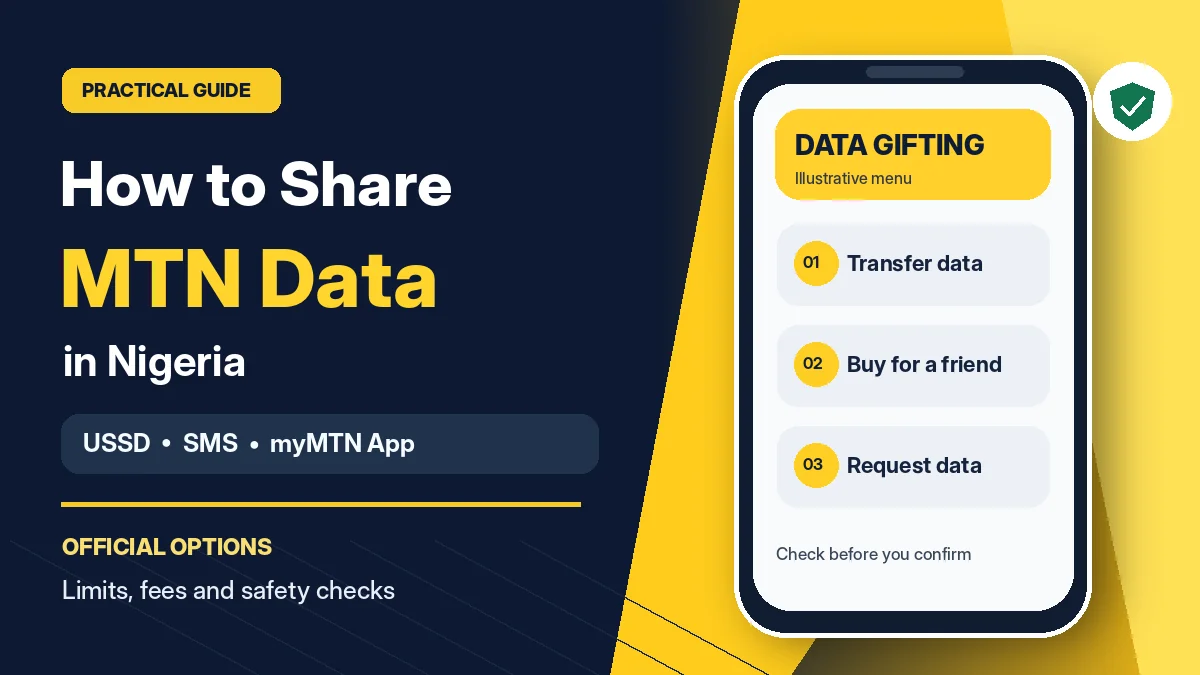
To share data on MTN in Nigeria, dial *321*2# and choose Transfer Data, or enter *312*RecipientNumber*DataAmount# directly. For example, the code *312*08031235678*100# initiates a 100MB transfer to that MTN number. You can also text Transfer 08031235678 100 to 312, or use the Share → Data Share feature in the myMTN NG app. Always confirm the recipient and any fee before authorising a transfer.
MTN's official Data Gifting guide distinguishes transferring part of an existing eligible data balance from buying a new bundle for another MTN customer. It also offers a way to request data from a friend. These options serve different purposes, and some plans cannot be transferred even when a balance appears on your phone.
This guide explains the current official methods, eligible transfer amounts, daily limits, potential charges, data requests and the safety checks that can prevent a costly mistake. Research verified on 12 November 2026. MTN can update USSD menus, bundle conditions and charges, so the confirmation displayed on your own line takes precedence over an old screenshot or social-media post.
How to share data on MTN: official methods at a glance
| What you want to do | Official option | What it does |
|---|---|---|
| Transfer data from your current bundle | *321*2#, then option 1 | Moves an allowed volume from an eligible data balance to another MTN line |
| Use the direct transfer code | *312*RecipientNumber*Amount# | Initiates transfer without navigating all menu screens |
| Transfer by text | SMS Transfer Number Amount to 312 | Uses MTN's published SMS format |
| Share in the app | myMTN NG → Share → Data Share | Lets you choose sharing options through the app |
| Buy a new bundle for someone | *321*2#, then option 2 | Purchases an available plan for the nominated MTN number |
| Request data from a friend | *321*2#, then option 3 | Sends a request that the other person can consider |
| Check remaining data | *323*4# or text 2 to 323 | Displays the main and applicable bonus balances |
These MTN instructions also align with the Nigerian Communications Commission's harmonised short-code system , which identifies 312 for data plans, 321 for sharing services and 323 for data-balance services. Older articles referring only to 131 may therefore be outdated.
Method 1: transfer MTN data using *321*2#
This menu-based option is useful if you do not remember the direct code or want to review the available transfer quantities.
- Open the phone dialler on the MTN SIM that owns the data balance.
- Dial
*321*2#and wait for the Data Gifting menu. - Select 1 — Transfer Data, following the labels currently shown on your screen.
- Enter the recipient's full MTN phone number and check every digit.
- Select an available amount such as 100MB, 200MB, 500MB, 1GB or another listed option.
- Review the final prompt, including any applicable charge, and confirm only when everything is correct.
- Wait for the transaction confirmation. Check your balance and ask the recipient to verify receipt.
The recipient is another MTN customer. MTN's data-gifting instructions do not describe this as a cross-network transfer facility for Airtel, Glo or other operators. If you intend to help someone on a different network, do not assume these codes will deliver data to that line.
Method 2: use the direct MTN data-transfer code
MTN publishes the following direct USSD format:
*312*RecipientNumber*DataAmount#
For an illustrative 100MB transfer to 08031235678, the exact example is:
*312*08031235678*100#
Here, the first part *312 calls MTN's data service, the middle number is the recipient, and 100 is the amount in megabytes. The example number is supplied in MTN's own published instructions ; replace it with the real intended recipient before using the command.
Check the recipient and available balance before dialling. A correct USSD format does not guarantee that the particular data bundle can be shared, that your transfer allowance remains available or that a transaction will succeed during a service interruption.
Method 3: share MTN data by SMS to 312
If you prefer sending a text message, MTN lists this format:
Transfer RecipientNumber DataAmount
For example, send Transfer 08031235678 100 as an SMS to 312 to initiate a transfer of 100MB. Insert spaces as shown, and use the amount as a number—do not append “MB” or “GB” to the figure in the SMS command.
Wait for MTN's response and check the details rather than assuming that a sent message equals a completed transfer. Repeatedly resending a request without checking its status may create unwanted duplicate transactions if earlier attempts were successful.
Method 4: share data in the myMTN NG app
MTN's official myMTN NG app supports account management, balance checks, data purchases and sharing. The company's Data Gifting instructions direct customers to the Share button and then Data Share.
- Install or open myMTN NG from the official app-store link available on MTN's website.
- Sign in using the MTN number that holds your eligible data bundle.
- Select Share, then Data Share.
- Choose the transfer or other gifting action available in your app version.
- Provide the beneficiary's MTN number, select the volume or bundle and inspect the confirmation screen.
- Confirm the action and retain the successful transaction notification.
App labels can change. If the app displays a different menu from an older tutorial, rely on MTN's current interface and official support information. Do not download an unofficial “MTN data share” APK or hand a supposed agent your one-time password.
Transferring data versus buying data for a friend
These options are easy to confuse. Transfer Data deducts a supported amount from an eligible existing data bundle. Buy for a Friend purchases a separate bundle for the other person, with the plan price paid through the available purchase channel.
| Question | Transfer from balance | Buy for a friend |
|---|---|---|
| Where does the data come from? | Your eligible existing bundle | A newly purchased bundle |
| Must the sender have shareable data? | Yes | No, but the purchase must be funded |
| Are there transfer volume limits? | Yes, including MTN's daily transfer cap | Depends on the chosen purchase options |
| Is it always free? | Ten transfers per month are described as free; later ones may incur a fee | You pay the selected bundle's price |
| What controls expiry? | Transfer and bundle-specific validity rules | The validity of the purchased plan |
To buy for someone, dial *321*2#, select 2 — Buy for a Friend, choose the type of plan and duration, select the bundle, enter the recipient's MTN number and confirm the purchase. MTN also documents a direct form, *312*BundleActivationCode*RecipientNumber#, but the activation code is plan-specific; use a current official bundle code rather than guessing one.
For somebody who has no shareable bundle balance or wants a new plan with its own validity period, buying a bundle may be more suitable than transferring your data.
How much MTN data can you transfer?
MTN's current Data Gifting FAQ lists these standard one-time transfer amounts: 100MB, 200MB, 500MB, 1GB, 2GB, 3GB and 5GB. It says your eligible data balance must retain at least 100MB after the transfer, and you can transfer a maximum total of 5GB in one day.
For example, a customer who transfers 2GB and later 3GB on the same day has reached that 5GB daily allowance. A customer with exactly 500MB in a shareable plan should not assume a 500MB transfer will succeed, because the minimum remaining balance still applies.
Additional bundle restrictions can apply. MTN's data-plan overview describes a 20% transfer restriction for some high-volume eligible bundles, while its Data Gifting FAQ describes limits on specific bundle types. The amount shown as available for your own line is therefore more useful than the total number of gigabytes displayed on the account.
Is MTN data sharing free? Understand the charges
MTN says customers can make ten transfers from eligible bundle balances per calendar month without a transfer fee. Its updated Data Gifting FAQ states that after those ten free transfers, further transfers may attract a fee based on the amount being sent. MTN says it provides a USSD and SMS consent prompt before processing such a charged transfer.
Do not treat “free data sharing” as an unlimited promise. A recent or old promotional page might describe different rules, while a data-purchase transaction is separate from a balance transfer. For a Buy for a Friend transaction, the sender pays the selected bundle's purchase price. There is no reason to send money to a stranger advertising a hidden or “unlimited” gifting code.
If your phone displays a proposed transfer fee, read it and decide whether to accept. This article does not quote a fixed fee table because MTN's public guidance says the charge depends on transfer amount and can change.
Which MTN data bundles can and cannot be shared?
A displayed data balance does not always mean that the balance is transferable. MTN states that sharing is supported for some eligible Access data bundles but not all promotional, customised, tariff-specific, social, time-restricted or bonus allowances. Its Manage Data guidance says Smart Bundles cannot be gifted or shared under their specific usage rules.
MTN also says you cannot transfer from an XtraByte borrowed-data balance, and you cannot combine small remaining balances across different plans into one transfer. For example, 40MB left in one plan and 75MB in another is not automatically a transferable 115MB balance.
Bundle eligibility can change as MTN updates its offers. When a transfer fails despite a large displayed balance, check the plan category and shareable amount rather than repeatedly dialling the same code.
How to request MTN data from a friend
MTN Data Gifting also lets you ask another MTN customer for data. Dial *321*2# and select 3 — Request from a Friend, then enter the donor's MTN number. MTN alternatively documents *312*8# and its corresponding request menu.
Sending a request is not a guarantee that the other person will approve or fund it. MTN's FAQ specifies a limit of five outgoing requests per day and says a pending request may remain active for up to 48 hours. Someone with Full Do Not Disturb (DND) enabled may not receive data requests.
Only request data from people you know, and do not share passwords or identity details to convince someone to send data. The donor can use an official transfer or purchase option if they choose to help.
Can you automate MTN data transfers to family members?
MTN's Data Gifting FAQ includes an Automate Transfer option through *312*8# or *321*2#. The relevant menu allows an eligible customer to set a beneficiary, amount and weekly or monthly frequency. MTN indicates that up to five beneficiaries may be managed on the beneficiary list.
Automation is not the same as buying a permanent shared family data plan. Review the eligible bundle, transfer amount, available balance and any fees each time the service applies. If you no longer want scheduled transfers, use the official beneficiary-management or Stop Auto Transfer options; do not assume that deleting an SMS or uninstalling the app cancels a network-side setting.
How to check MTN data balance after sharing
MTN's official data-bundle guide lists these balance-checking methods:
- Dial
*323*4#for main and applicable bonus data details. - Text
2to323. - Check the balance within myMTN NG.
- Use an MTN-supported self-service or Zigi channel.
Check both before and after an attempted transfer. The recipient should also check their own line, since a sender-side confirmation can be misread or delayed. Data that was transferred may have different validity and rollover conditions from a new bundle bought as a gift. MTN says unused transferred data does not roll over as ordinary main data might, so confirm the expiry displayed after the transaction.
Safety checks before sending data to any MTN number
- Confirm the destination: compare the full phone number with the intended recipient before sending.
- Choose the correct operation: Transfer Data and Buy for a Friend have different balance and payment effects.
- Check any fee: do not approve a charge you were not expecting.
- Protect the account: use MTN's own app or USSD and never give a stranger your password, verification code or SIM access.
- Verify completion: save the confirmation and inspect the before-and-after balances.
- Review automatic sharing: check beneficiary lists and turn off transfers you no longer need.
MTN's official FAQ says a separate PIN is not required for Data Gifting. Do not confuse this with MTN's airtime-sharing service , which has a PIN-based process. A person demanding your MTN airtime-transfer PIN to “enable” ordinary data gifting should be treated with caution.
Why your MTN data transfer may fail
| Problem | What to check next |
|---|---|
| “Insufficient balance” despite visible data | Is the bundle eligible, and would at least 100MB remain after transfer? |
| Volume not available | Choose a supported amount and confirm you have not reached the 5GB daily limit |
| Transfer restricted | Some Smart, bonus, XtraByte and special-purpose bundles are not shareable |
| Unexpected fee prompt | You may have passed the monthly free-transfer allowance; review the cost before accepting |
| Recipient does not see data | Recheck the number and confirmation, then have them check *323*4# |
| USSD times out or app will not load | Try the official alternative channel once, without repeatedly sending the same request |
Occasional network faults can affect telecom services, but a failed transfer alone does not prove an MTN-wide outage. FlyingEze has reported on a previous MTN service disruption in Taraba ; that historical event should not be mistaken for the current condition of the network.
If the transaction status remains unclear, contact MTN Nigeria through its official support directory . MTN lists 300 as its customer-care number. Provide the time and type of transaction and the relevant phone numbers through a verified support channel, but never share passwords, OTPs or sensitive banking details.
Frequently asked questions about sharing MTN data
What is the code to share data on MTN?
Dial *321*2# and choose Transfer Data, or use the direct format *312*RecipientNumber*DataAmount# as published by MTN Nigeria.
How do I transfer 1GB on MTN?
Use the Transfer Data menu to select 1GB, or follow MTN's direct transfer method with a supported data amount. You need an eligible plan, enough data remaining afterwards and available daily transfer capacity.
Can I share MTN data without the internet?
Yes. MTN documents USSD and SMS methods that do not require opening a mobile internet app, although they still depend on network service availability.
Can I transfer data from MTN to Airtel or Glo?
MTN's Data Gifting instructions cover transfers and purchases for other MTN customers. Do not assume the documented transfer service works across mobile networks.
Do I need a PIN to share MTN data?
MTN says no separate PIN is needed for Data Gifting. MTN Share, its airtime-transfer service, is different and uses a PIN.
How much MTN data can I share in one day?
MTN states a maximum cumulative transfer volume of 5GB daily, subject to eligible balances and plan-specific restrictions.
Is MTN data transfer always free?
No. MTN states that the first ten eligible balance transfers per calendar month are free of transfer fees, with consent-based fees applying to subsequent transfers. Buying a new bundle for someone costs the bundle price.
Can the recipient roll over transferred data?
MTN distinguishes transferred data from purchased gifted bundles and says unused transferred data does not qualify for ordinary rollover. The recipient should check the stated validity for the particular transaction.
Conclusion: use MTN's official sharing options and verify every transfer
Knowing how to share data on MTN starts with choosing the right operation. Use *321*2#, direct USSD, SMS to 312, or the myMTN NG app to transfer eligible balance; choose Buy for a Friend if you want to purchase a new data plan for someone else; or use the request feature when you need assistance.
Keep the daily 5GB transfer cap, the minimum balance, bundle restrictions and potential fees in mind. Before confirming, double-check the recipient and the cost. Official channels and a quick post-transaction balance check are the simplest ways to share data without unnecessary surprises.