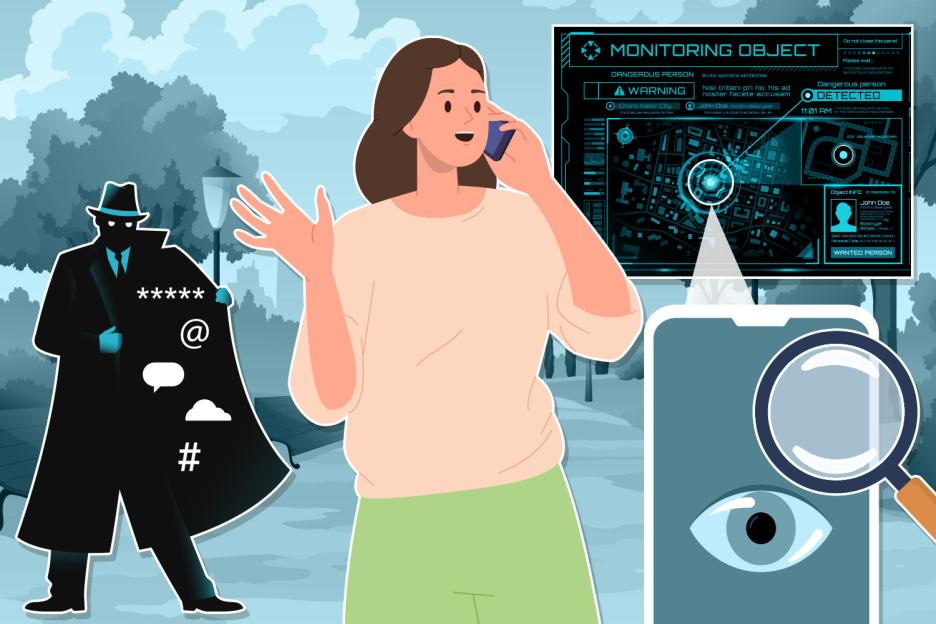
WORRIED your location is being tracked? There’s no shortage of gadgets that can keep tabs on your exact movements.
But you have the power to expose sinister stalkers if you can spot the signs. There are plenty of clues – and dead giveaways – that someone is watching your every move through your phone, laptop, smartwatch, or even a hidden tracker tag.
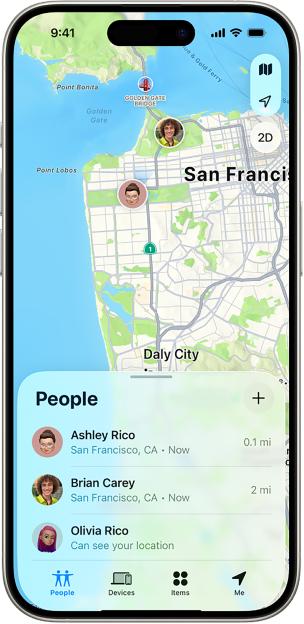 Your Find My app might be sharing your location with other peopleCredit: Apple
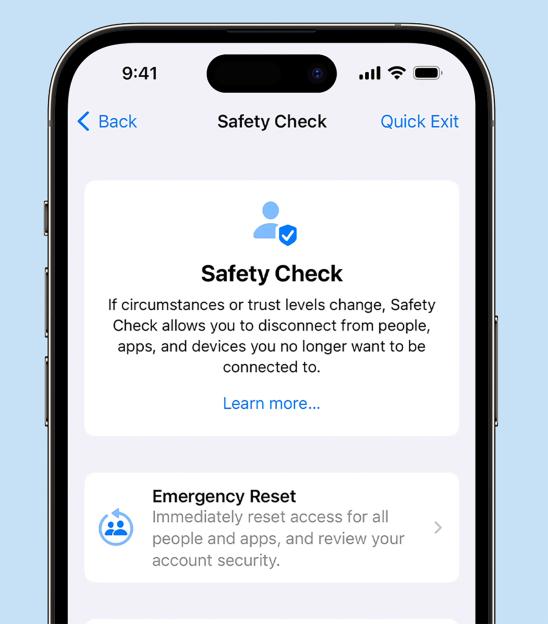 Your iPhone’s Safety Check can reveal dodgy behaviourCredit: Apple
YOUR PHONE
Your phone is one of the top targets for a location-stalking creep, because you’ll almost always have it with you.
Not only that but there are several different ways that someone could be using it to follow you.
Your first port of call when checking your phone for anything suspect should be seeing who your info is already being shared with.
For instance, if you go into the iPhone’s Find My app, you can see if you’re sharing your location with anyone.
It might be an ex that you forgot to remove, or it could be a stalker who was able to add themselves after accessing your phone.
In any case, you can instantly revoke their access in the Find My app.
For iPhone, there’s also an easy solution called .
This lets you review everything you’re sharing with or people – not just location, but photos, microphone access and more.
Just go into Settings > Privacy & Security > Safety Check and follow the instructions.
If you notice that a certain person or app has access to your location, you can stop it here.
And you can even press the to instantly revoke all access across the board.
Importantly, if you need to make a speedy break, you can tap Quick Exit in the corner. This saves your progress and quits the Settings app, so it’s like you were never using it.
It’s also worth noting that one way someone might be monitoring your location is through a dodgy app.
This might be something that a hacker managed to get onto your system after you clicked a dubious link or attachment.
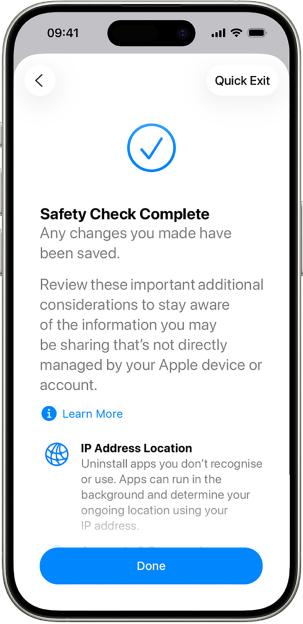 Safety Check lets you shut out snoopersCredit: Apple
Or it might be one that someone close to you installed when they had access to your phone.
Either way, you can very easily check to see where your location is being shared.
On both iPhone and Android, you can go into your privacy settings, and look at which apps have access to your location. If you notice anything suspicious, like an unrecognised app that has access, you can deny it – and even delete it.
On iPhone, there’s a more detailed feature called , which you can turn on in your Privacy & Security settings.
Once you turn that on, it’ll begin logging every instance that an app accesses your private data – including location.
Then you can check in and see exactly when your location is being logged, and by whom.
If you notice that an app is constantly fetching your location and you can’t work out why, it might be worth revoking its location access.
And if you don’t recognise the app at all then it’s best to delete it.
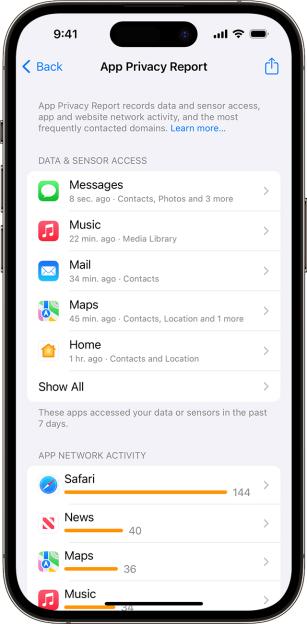 The App Privacy Report reveals if (and when) apps are tapping into your locationCredit: Apple
Another classic way to track you through your phone is by being signed in as you.
It sounds simple, but if someone has access to your Apple or account, then they can sign in and act as if they were you.
That means they can see all the same location info that you’re able to.
If you log into either, you should be able to see where your account is logged on. If you notice a suspicious device that you don’t recognise logging in from somewhere that isn’t your usual location, it’s a bad sign.
You should remove access to that account as soon as you can.
And once you’ve done that, change your password so the stalker can’t just log back in again.
As well as all of this, make sure that your social media isn’t giving you away.
Both and have location-mapping features that could be exposing your movements.
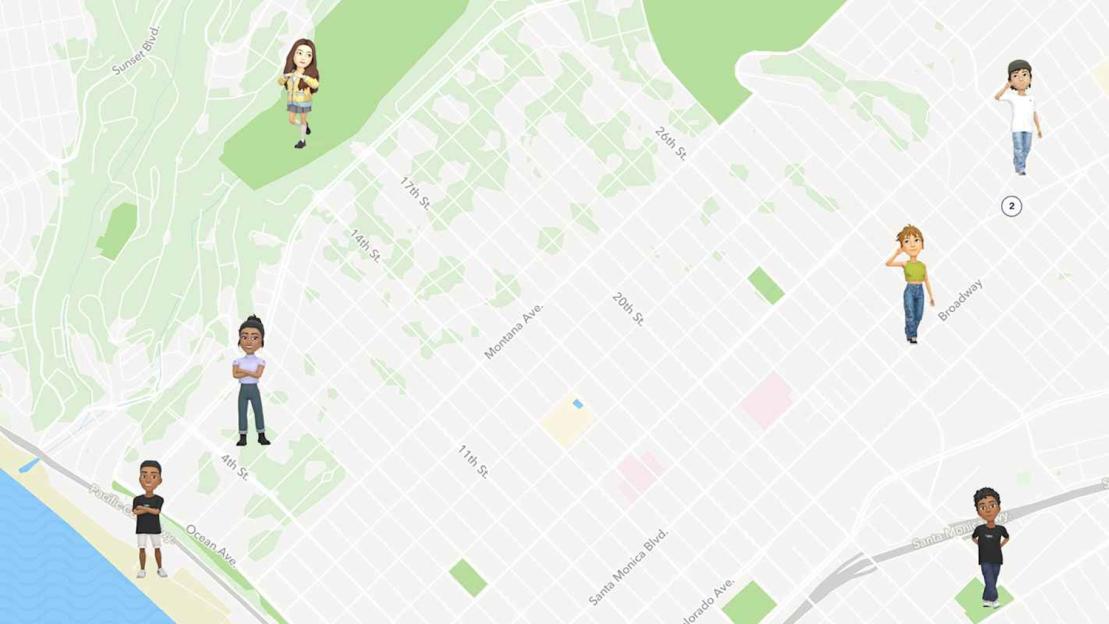 Snap Maps could give your location away if you’re not carefulCredit: Snap Inc.
Make sure they’re switched off in your settings.
As well as that, even tagging your locations can give away your movements.
So if you’re at a restaurant, consider uploading photos or videos from the meal later on – and not while you’re actually there.
If you’re posting live from specific places, it’s very easy for someone to track you down.
YOUR WATCH & LAPTOP
In terms of location-stalking, your smartwatch or laptop are .
Your watch in particular is likely to be with you a lot of the time, and can be tracked in many of the same ways.
The good news is that many of the techniques you’d use to root out stalking on your phone also apply to your smartwatch.
So for Apple fans, you’ll want to head into Find My again.
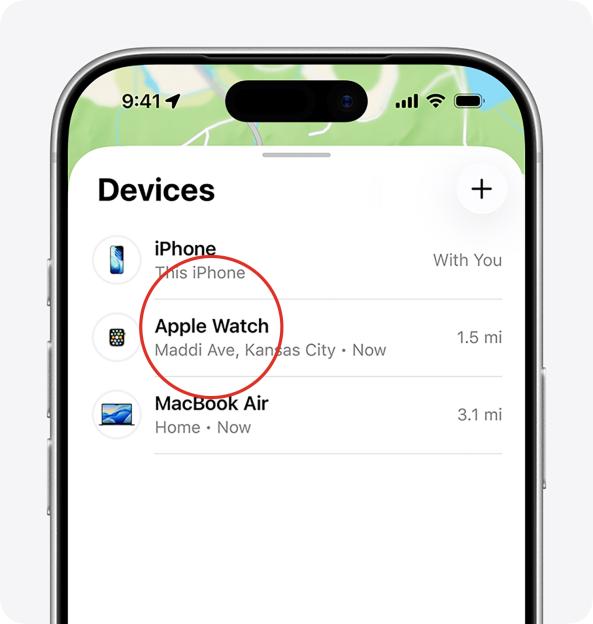 It’s not just your phone – plenty of devices can monitor your location, so make sure they’re as secure as possibleCredit: Apple / The Sun
Similarly, you’ll want to go into your Apple account, Google account or and ensure that no one else is signed in.
You should regularly review the apps that you’ve got installed on your watch.
If you ever notice one that you don’t recognise, it might have been installed by a stalker.
Remember that sometimes . An app might appear to be something innocuous like a calculator, but is actually working in the background to monitor your movements.
That’s why it’s so important to delete any apps you don’t recognise, even if they seem harmless.
SMART HOME GADGETS
I’ve talked a lot about how crooks can track you if they break into your Apple or Google account, because they can monitor your phone’s movements.
But it’s worth remembering that by breaking into other accounts, crooks can also get a good idea of your whereabouts.
Smart home devices are a big target here, because they can reveal so much about you.
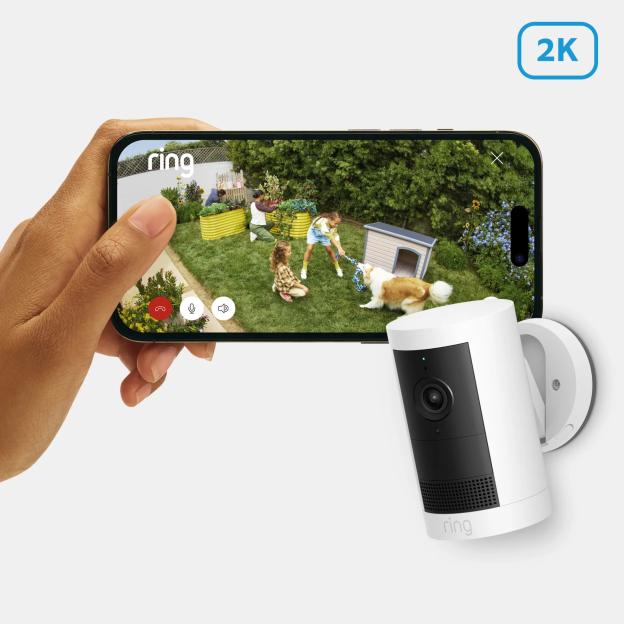 Ring doorbells and cameras capture your movements – so make sure no one else is on your accountCredit: Amazon / Ring
For instance, if someone gets access to your , they’ll be able to tell whenever you leave or get back home – and learn about your habits.
Similarly, if someone was tracking your smart lighting, seeing when lamps switch on and off can also give a clue as to when you’re at home – and when you’re not.
This isn’t exact location tracking, but it’s enough info that it could prove dangerous in the wrong hands.
It’s worth regularly checking all of the apps that you’ve got linked to gadgets around the home.
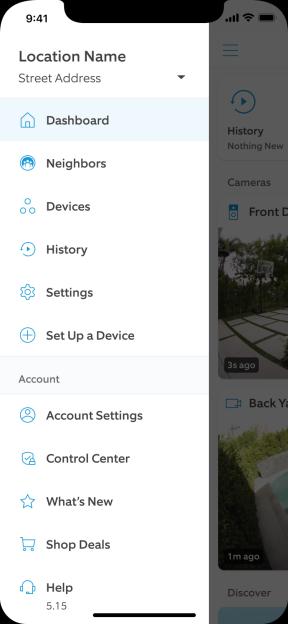 You can go into your Ring settings to lock down who can view your doorbell or cameraCredit: Amazon / Ring
Go into their settings: you’ll usually be able to see “sign in sessions”, which show who is signed in, where, and on what device.
If anything doesn’t look familiar, end that session, then change your password.
And make sure to add two-factor authentication on the account (which is when you have to enter an extra code to log-in) to prevent a stalker from breaking back in.
TRACKER TAGS
Once the stuff of spy novels, location-tracking tags are now cheaply bought and easy to come by.
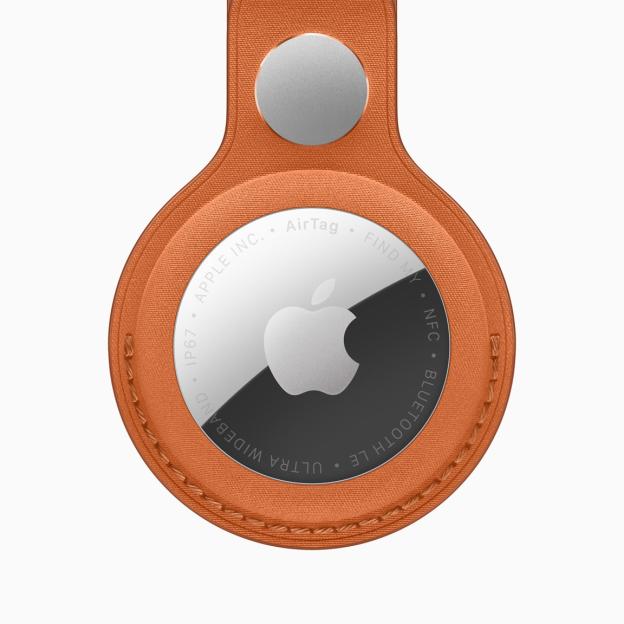 Apple’s AirTags are a great way to track down lost items – but you need to know how to uncover unwanted tagsCredit: Apple
Most famous of all is the Apple AirTag, which is a godsend for the forgetful. You stick it on a pair of keys and even if you leave them behind, you can easily see them on a map and locate them.
It’s even possible to share an AirTag location so they can help you track down lost luggage.
They’re tremendously popular. In fact, Apple has just released a new upgraded version that can be tracked down from further away.
But unscrupulous stalkers might use location-tracking tags to follow the movements of unsuspecting victims.
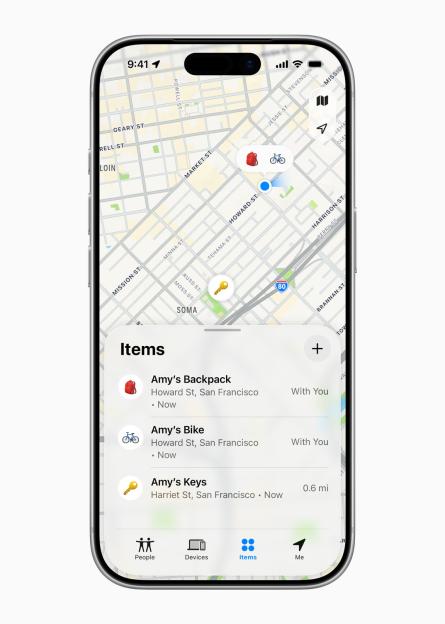 AirTags attached to items appear on a map, showing their exact locationCredit: Apple
 Apple’s Precision Finding feature even pinpoints the exact location of an AirTagCredit: Apple
The good news is that there are now multiple ways to if they’ve been hidden in your clothes, a bag, or in your car.
For a start, your iPhone will warn you if an AirTag, AirPods or a compatible Bluetooth location-tracking device is away from its owner and moves with you over time.
The device itself should beep, and you’ll get a pop-up on your phone.
Just make sure that your iPhone is updated to 17.5 or later (in Settings > General > Software Update).
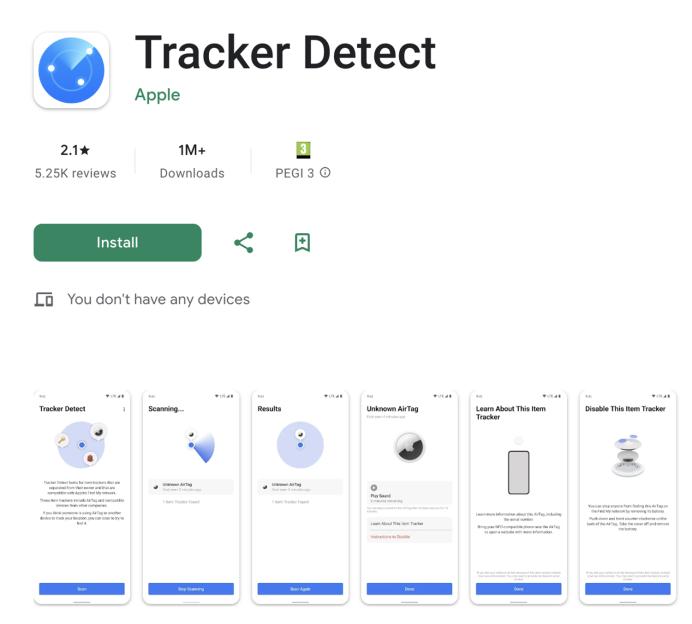 Apple built an app for Android phones to expose rogue tracker tagsCredit: Google / The Sun
Apple has also released an app on Android phones called Tracker Detect that will also watch out for these tags. You can download it for free from the Google Play Store.
If you want to make sure you’re receiving tracker notifications on iPhone, go into Settings > Notifications > Tracking Notifications and make sure that Allow Notifications is turned on.
When the notification pops up that says a tracker is moving with you, there are some steps that you’ll want to take.
For a start, you’ll want to tap the notification.
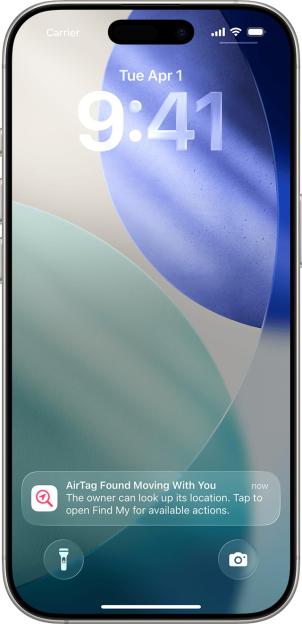 Watch out for this pop-up – if you see it, you must investigateCredit: Apple
This will show you a map that logs where the unknown item was detected near your iPhone.
Dashed lines will connect red dots, hopefully giving you an idea of when it was placed on you – or where it might be being stored (like in a handbag that you had at all of those points, or inside your car).
Once you’re near the object, press the Play Sound button.
This should cause the tracker tag to make a noise, which might help you find it.
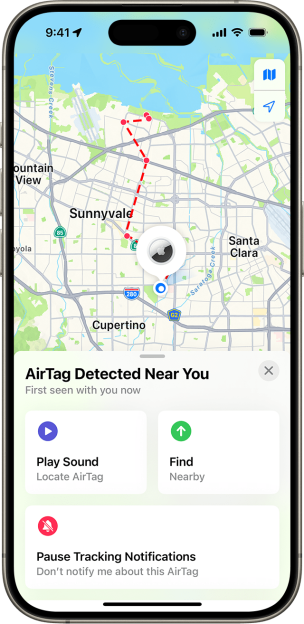 A dashed red line will appear to show you where the AirTag has been logged as moving with youCredit: Apple
If it doesn’t make a sound, the item might no longer be with you – or is within range of the person who owns it.
Once you’ve found the tracker tag, hold the top of your iPhone or Android phone near the white side of it.
This should cause a notification to appear, which you can tap.
If it’s an AirTag, you’ll be taken to a website that provides info about the AirTag.
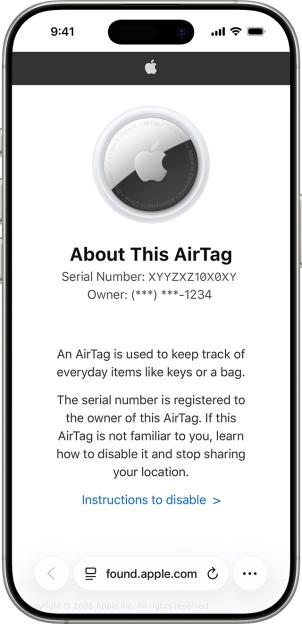 You can tap your iPhone or Android phone on the AirTag to reveal info about itCredit: Apple
That will include its serial number, as well as the last four digits of the phone number for the person who registered the AirTag.
This might give you a big clue as to who owns if, if it’s someone that you know.
Make sure to take a screenshot of this page so that you don’t lose the info.
It’s also worth mentioning that you can review Unwanted Tracking notifications that you’ve already had.
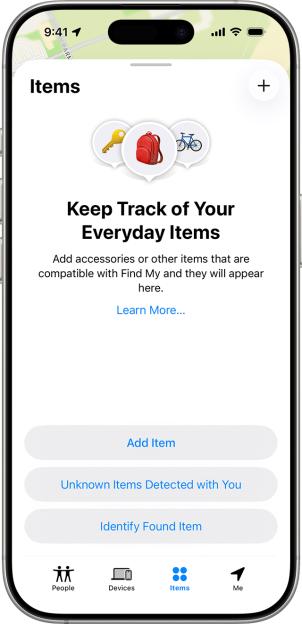 You can check back for unknown item alerts that you may have missedCredit: Apple
This is handy, as you might have missed a notification when you were busy.
Go into the Find My app, then tap Items, then scroll to the bottom and tap Unknown Items Detected With You.
Then you can follow the same steps as above.
Anyway, once you’ve found the AirTag, you’ll want to disable it.
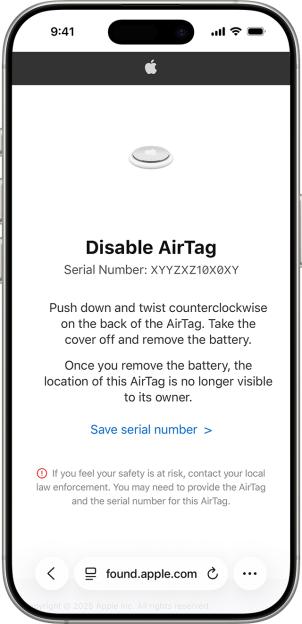 Disabling a tracker tag is often as simple as just removing the batteryCredit: Apple
Typically with an AirTag, you’ll want to push down and twist counterclockwise on its back.
Then you can take the cover off and remove the battery.
As soon as the battery is out, the AirTag will no longer be visible to the person that owns it.
The website that showed you the tracker’s serial number should give advice if you’re trying to disable a non-AirTag tracker tag, as they may need you to do something slightly different.
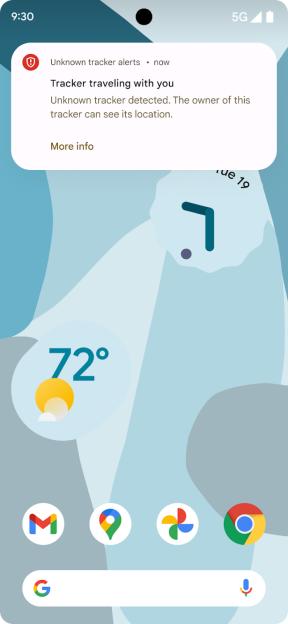 Android has its own alerts for when a tracker tag is detected as moving with youCredit: Google
On Android phones, you can run a manual scan to see if an unknown item is moving with you at any point.
Just go into Settings, then tap > Safety and Emergency > Unknown Tracker Alerts > Scan Now.
It should only take about 10 seconds to do a manual scan.