
"Unlock Your iPhone's Hidden Camera Features: A Simple Trick to Restore What You Thought Was Gone!"
IF you’ve used your iPhone camera lately (and you probably have) then you might have noticed something missing. made a quiet change to how the camera looks in...
 Written byEze Chidiebere Paul
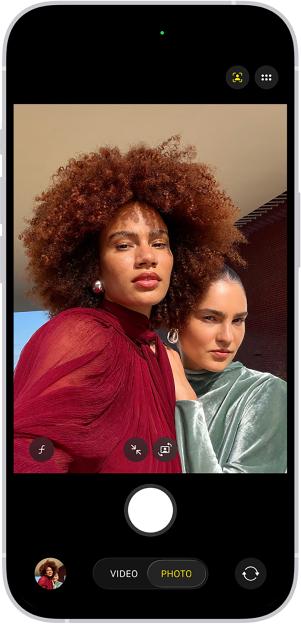
IF you’ve used your iPhone camera lately (and you probably have) then you might have noticed something missing.
made a quiet change to how the camera looks in one of its recent updates – and it looks like a few features have vanished from sight.
The new iPhone camera appears to have something missing – but it doesn’tCredit: Apple
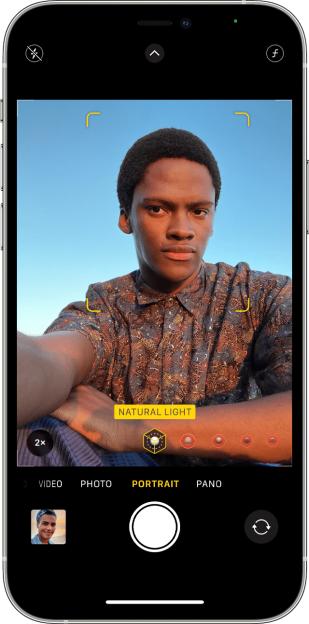 The old iPhone camera used to have very obvious camera modes, as seen hereCredit: Apple
But don’t worry, they’re still there.
For years, Apple has been offering a few modes that elevate what you’re snapping.
For instance, the Portrait mode gets your subject in sharp focus and creates a blurry bokeh effect in the background.
The Cinematic video mode performs a similar trick for when you’re shooting footage.
And the Slow-Mo captures moments at ludicrously high frame-rates so you can slow it right down like a pro.
But if you’ve tried to find any of these after the recent , you might not know where they are.
That’s because Apple overhauled the iPhone camera app to have a more simplified interface.
Those extra modes are still there, but they’re hidden from sight until you reveal them.
To bring them up, just slide left or right on the Photo / Video toggle at the bottom.
You can also tap it and then swipe left or right.
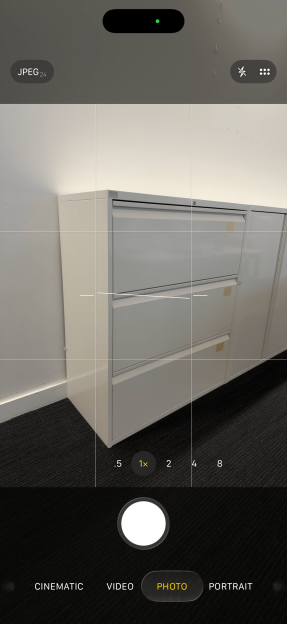 If you swipe on the Video / Photo toggle then you can see the other modesCredit: Sean Keach
This will reveal the full roster of camera modes, including:
- Time-Lapse
- Slo-Mo
- Cinematic
- Video
- Photo
- Portrait
- Spatial
- Panorama
Depending on your iPhone model, you might not see Spatial.
It’s a special type of photo or video that is meant to create a eerily lifelike 3D effect.
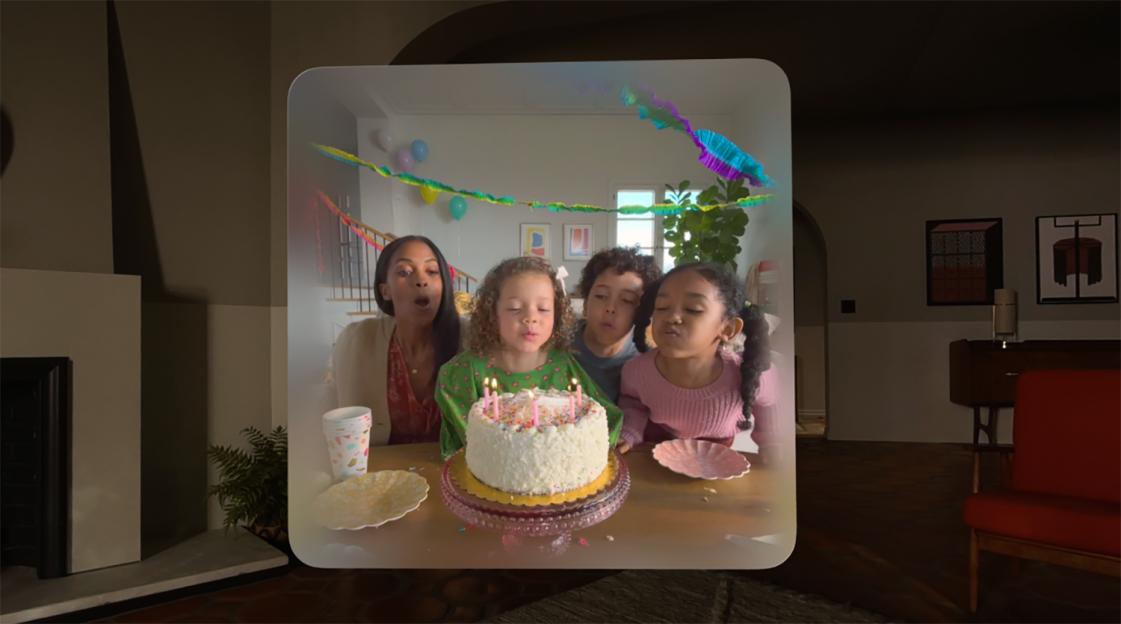 Spatial Images and Spatial Videos let you relive moments using Apple’s headsetCredit: Apple
They’re ideally meant to be viewed in Apple’s – the .
Once you don the , you’ll be able to as if you were really there.
Sadly it’s only available on select iPhone models, including:
- iPhone 15 Pro
- iPhone 15 Pro Max
- iPhone 16
- iPhone 16 Plus
- iPhone 16 Pro
- iPhone 16 Pro Max
- iPhone 17
- iPhone 17 Pro
- iPhone 17 Pro Max
 The Apple Vision Pro is currently the only way to view Spatial Videos and Spatial Photos in their true 3D greatnessCredit: Apple
Even if you , it might still be worth snapping some Spatial content from time to time.
It’s possible that Apple goggles of the future might not cost so much, or the company may find other ways to make use of your 3D footage.
And it still functions just like regular footage if you never end up using its 3D capabilities.
Just note that you can only capture Spatial content in landscape on the iPhone.
Sign up for The Sun Tech newsletter for gadgets, games & more
Hello! I'm Sean Keach, The Sun's Head of Technology and Science
I’ve been writing about gadgets, games and the future of technology for more than a decade.
During that time I’ve penned thousands of articles, filmed hundreds of videos, talked tech on TV and radio, and travelled around the world to bring you the latest on Apple, Meta, Google, Amazon, Netflix and more.
And I’ve got a weekly newsletter called The Sun Tech that you can read for free every Thursday.
I bring you the latest from the world of tech, including behind-the-scenes action, exclusive content, expert analysis, and plenty of help advice – so please follow along!
Continue reading

Infinix GT 50 Pro Set to Make Nigerian Debut at PMNC Nigeria Finals on September 12
For competitive gamers, the wait is almost over. Infinix has confirmed September 12 as the Nigerian debut of its new GT 50 Pro gaming smartphone, with the launc...

iOS 27 Release Date: What to Expect in Features and Compatible Devices!
APPLE has unveiled its flagship iPhone 18 Pro and foldable iPhone Duo. But one of the biggest upgrades coming to your pocket is the software running under the h...

3,000-Year-Old Mystery of Egypt's 'Screaming Mummy' Solved: Death Frozen in Terror Unraveled!
SCIENTISTS may have finally unravelled the mystery behind the death of an Egyptian mummy after 3,000 years. The female corpse known as the “screaming woman” was...

Don't Miss It! Here's When to Tune In for the September 2026 Apple Event and iPhone Reveal Live!
FANS of new gadgets are waiting with bated breath for Apple to unveil its latest range of highly anticipated products. The giant has kept quiet about what will...